Live preview
Write and preview, side by side.
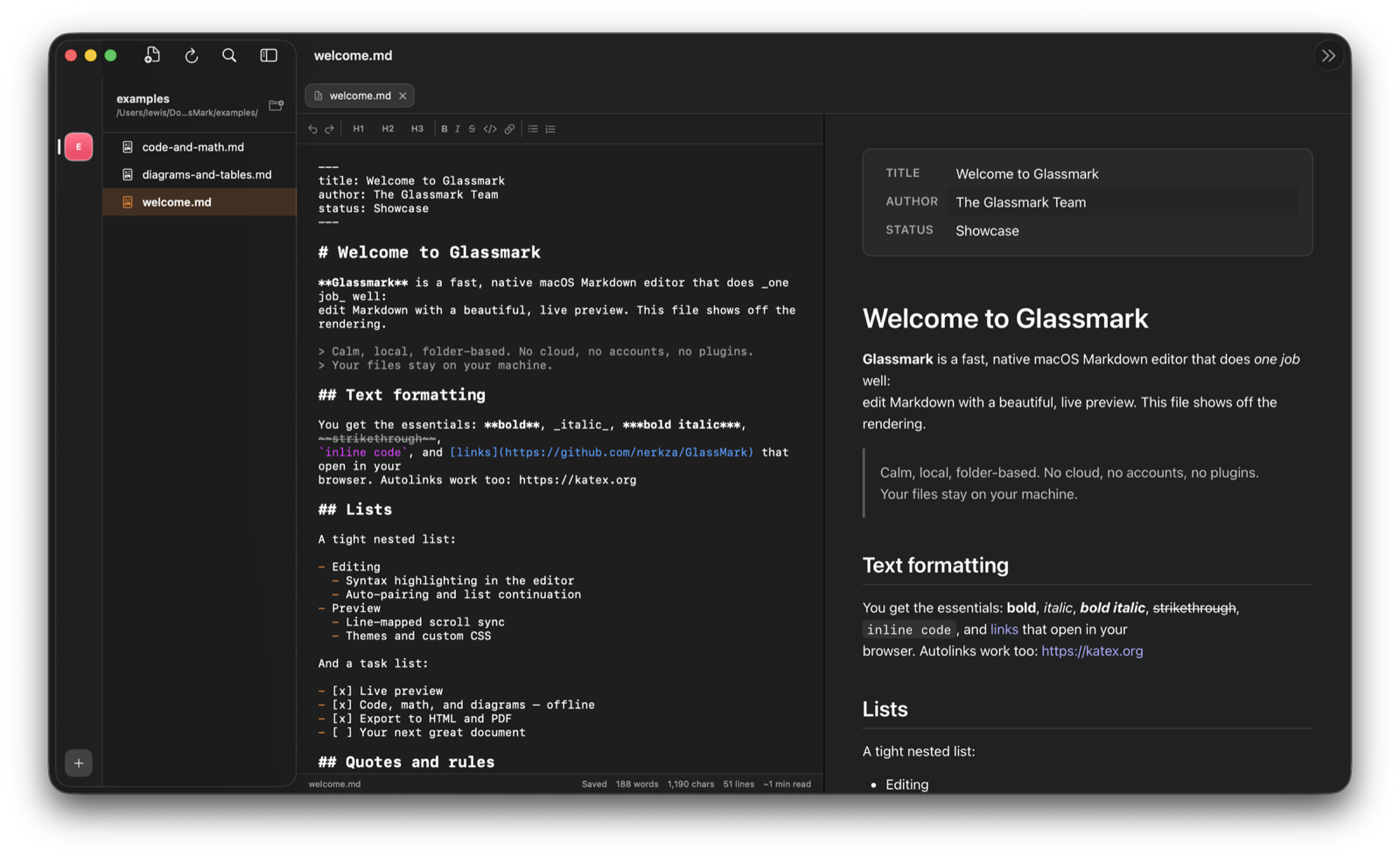
Write on the left, see the rendered result on the right. The preview updates as you type and scrolls with your cursor, so you keep your place in long documents.
 Glassmark
Download
Glassmark
Download
Markdown · for macOS
A Markdown editor for the Mac, with a live preview that keeps up as you write.
Version 1.1 — now with in-app update checks.
Live preview
Write on the left, see the rendered result on the right. The preview updates as you type and scrolls with your cursor, so you keep your place in long documents.
Code & math
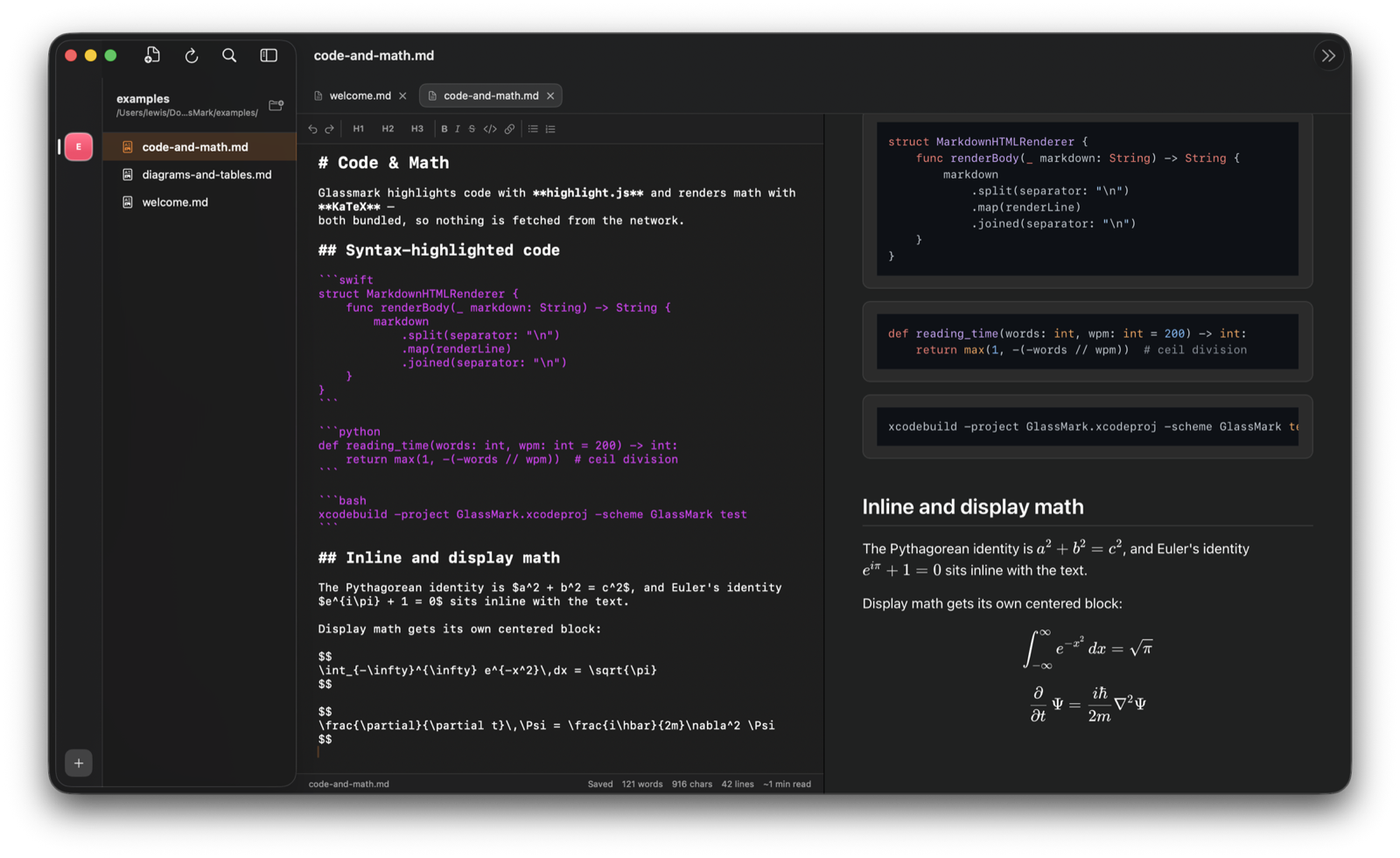
Fenced code blocks get proper syntax highlighting, and LaTeX math is typeset with KaTeX. It's all rendered on your Mac from assets bundled in the app, so nothing is fetched from the internet.
Diagrams
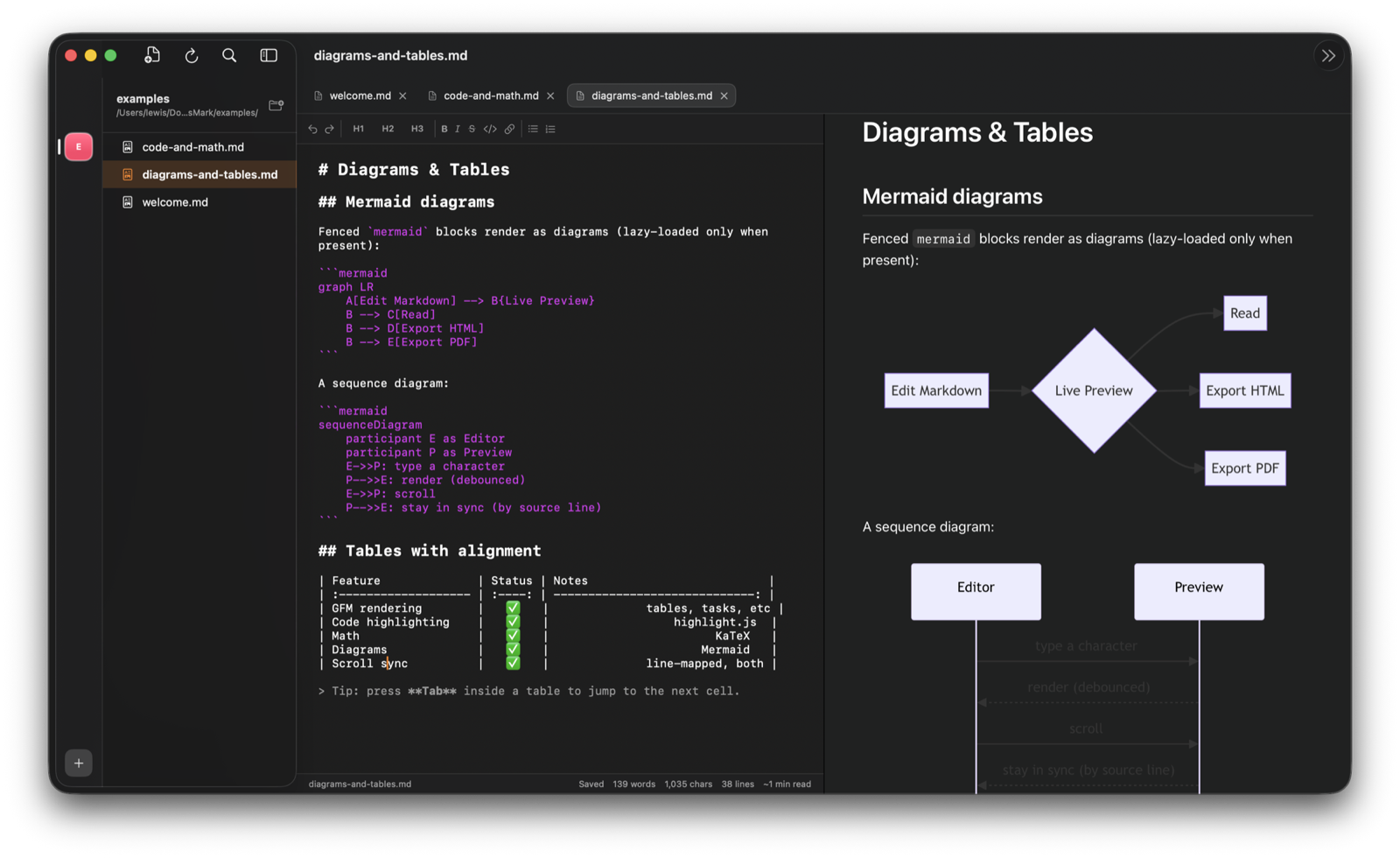
Describe a flowchart or sequence in Mermaid syntax and Glassmark renders it inline. The diagram stays in your document as text, so it's easy to version and share.
More
Share a polished document in a couple of clicks — clean HTML or print-ready PDF.
Dim everything but the line you're writing, and keep it centred as you type.
System, Sepia, High Contrast and Dark preview themes — or bring your own CSS.
Open a folder and browse, search and edit a whole project from the sidebar.
Jump to any file with ⌘P and navigate long documents from a live outline.
Built in Swift with zero third-party code. It launches instantly and stays out of the way.
Free to download, and native to macOS.
Support
Questions, bugs or ideas? Email us and you'll hear back from a real person, usually within a day.